Encrypted vault
Encrypted on your device, unlocked by a single master password.
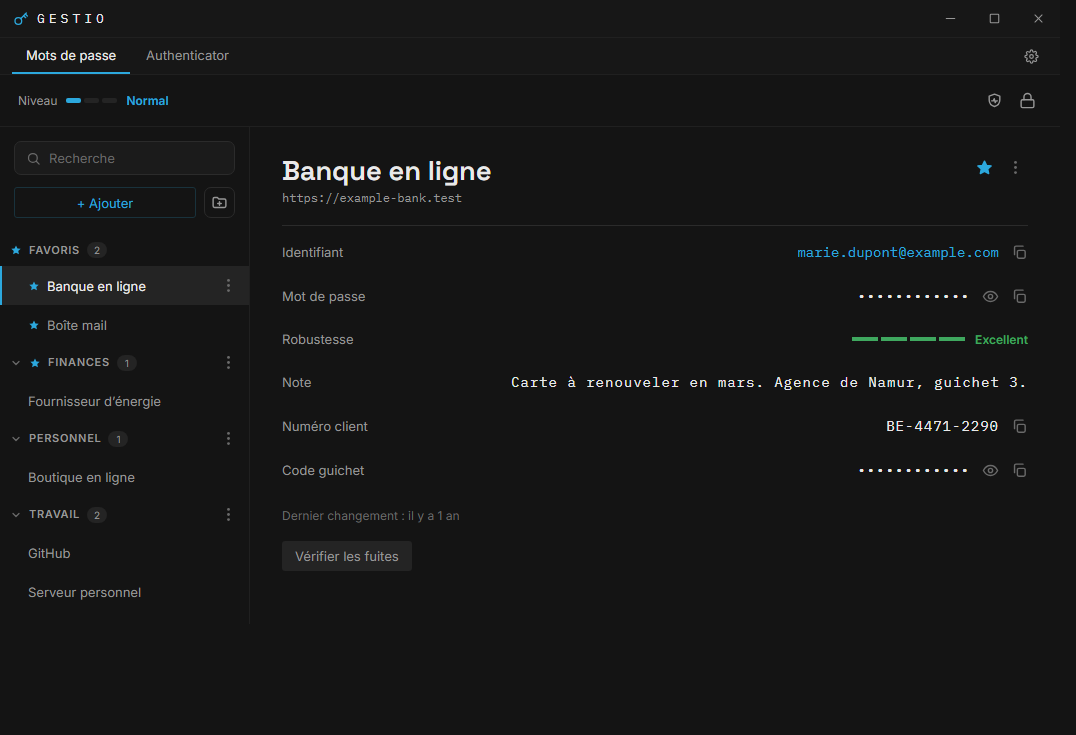
A local, encrypted, free password manager.
Nothing leaves your machine.
Encrypted on your device, unlocked by a single master password.
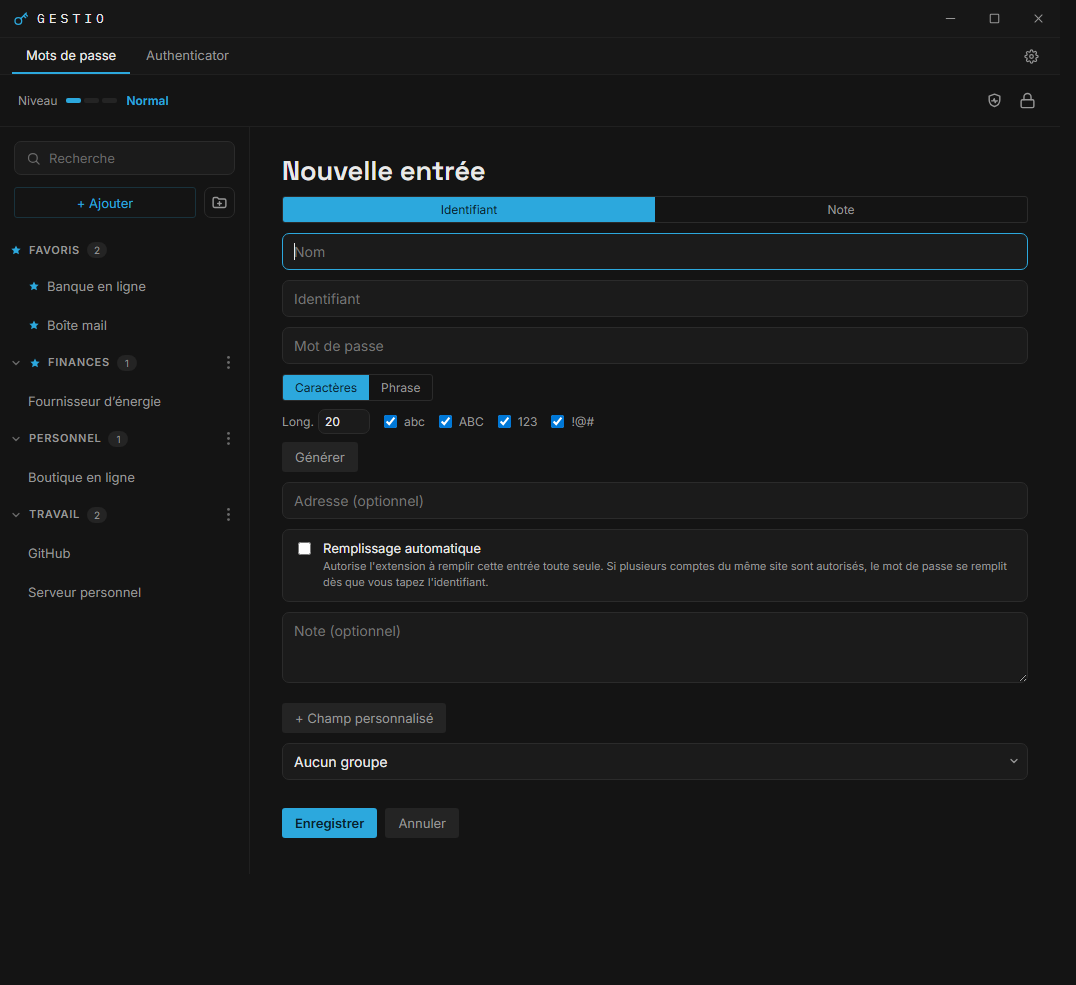
Strong passwords or passphrases, in the format you choose.
TOTP codes in a separate vault, with its own password.
Flagged without ever sending your passwords in clear text.
No tracker, no data resale, no account to create.
Public code under the GPL-3.0 license, you can build it yourself.
Fills your credentials in Chrome and Edge, in one click. The extension stores no password and makes no network request: it asks Gestio, installed on the same computer.
No. The vault is encrypted and stored on your device. Nothing is sent anywhere, unless you turn on synchronisation to a folder of your own choosing.
Without a recovery key the vault is unrecoverable, by design. Enable the recovery key at setup to protect yourself.
Yes, optionally. You can sync your vault across your computers through a shared folder of your choice, end-to-end encrypted and still with no account. It is off by default.
Yes. The full source code is on GitHub under the GPL-3.0 license, and you can build it yourself.
Yes, with the Gestio extension for Chrome and Edge, also free. It requires the desktop application, with which it is paired once. No password is kept in the browser.
Windows for now.